Learn and Liber Pass
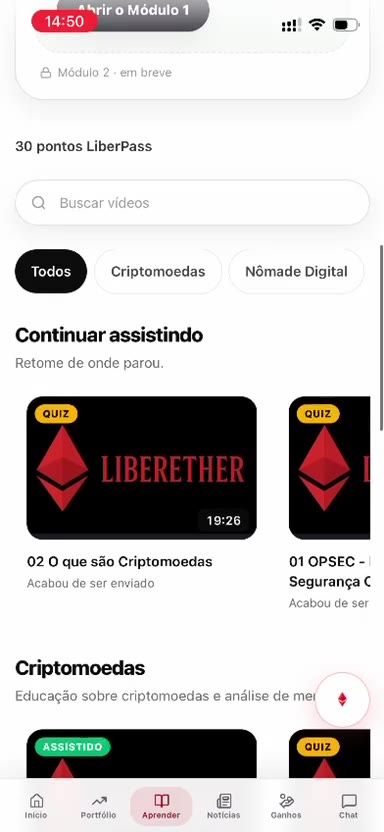
Learn is the third button in the bottom menu, from left to right. The screen opens LiberPass, from LiberEther Academy.
Modules
Module 1, “Start with the fundamentals”, shows how many of the ten lessons have been watched. The button is “Open Module 1”. The screen says eight crypto videos are ready and that the LiberWallet and stablecoin tutorials are still coming. Module 2 is marked as coming soon.
When the pass is active, the screen says to watch below. In the pass details you can open support, copy the referral link, and schedule a time with someone on the team.
Gift
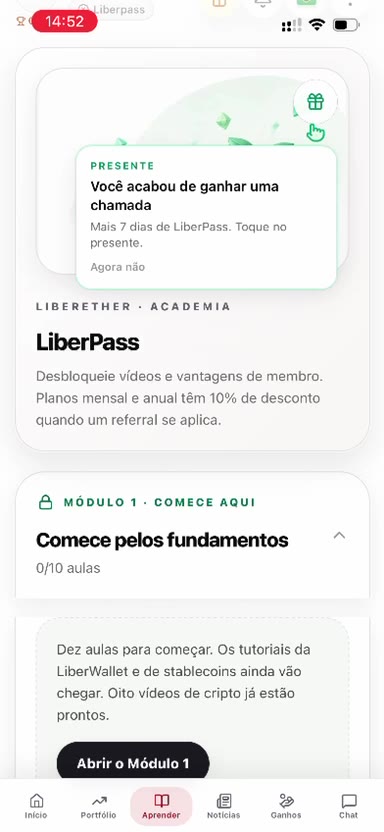
The gift icon opens a notice: “You just earned a call” and 7 more days of LiberPass. The person can tap the gift or “Not now”.
Videos
Search looks for videos. The filters are All, Cryptocurrencies, and Digital Nomad. “Continue watching” picks up where the person left off. Each video shows the length and whether it is a quiz. The screen also shows LiberPass points.