
Swap
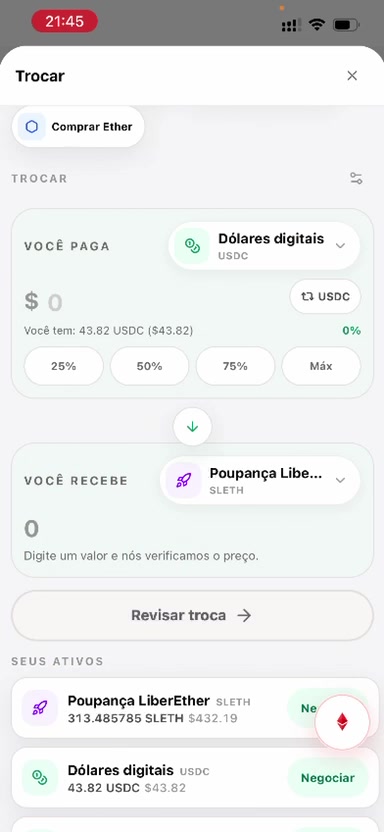
The “Swap” button sits to the right of the balance. It swaps between the assets available in LiberWallet.
Choose the currency you pay with, the currency you receive, and the amount. The screen reviews, on the spot, how much you should receive.
Confirm the swap with the passkey. On iPhone that can be Face ID; on Android, the equivalent method. Afterward you can see the receipt, make another swap, or finish.